

CatPaw
CatPaw is an all-in-one AI Agent platform and AI collaboration workbench developed by Meituan, covering desktop, mobile, and cloud scenarios. By connecting an OpenAI-compatible API service through custom models, you can use MoArk's large language models in CatPaw.
Obtain Your Access Token
- Log in to the MoArk official website (or register an account if you don't have one).
- Navigate to the Dashboard, click Settings in the top-right corner, and select Access Tokens.
- Generate a new token and copy it for later use.
Configuration Guide
-
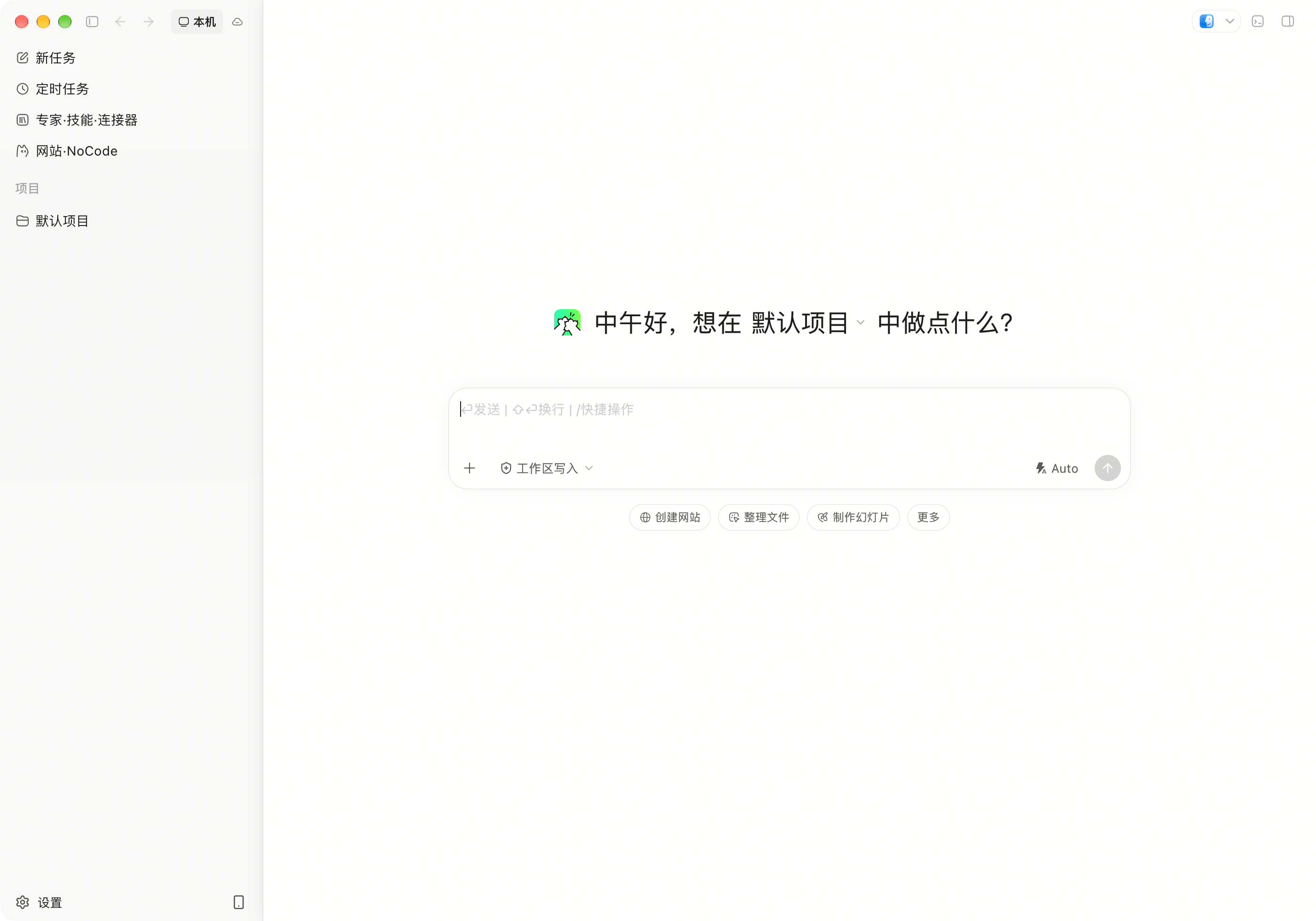
Launch CatPaw and click "Settings" in the bottom-left corner to open the Settings page.
-
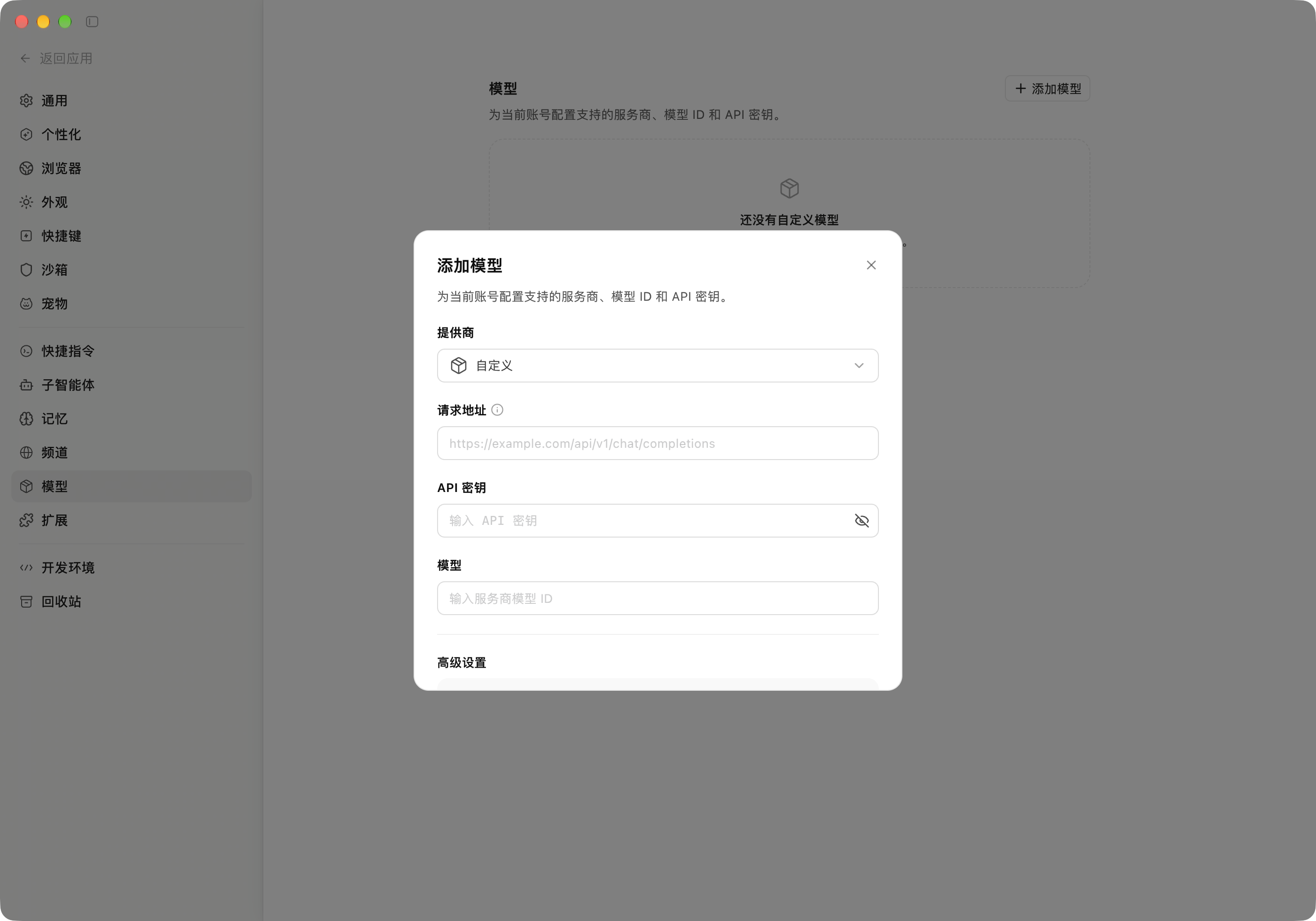
Select "Models" in the left navigation bar, then click the "+ Add Model" button in the top-right corner.
-
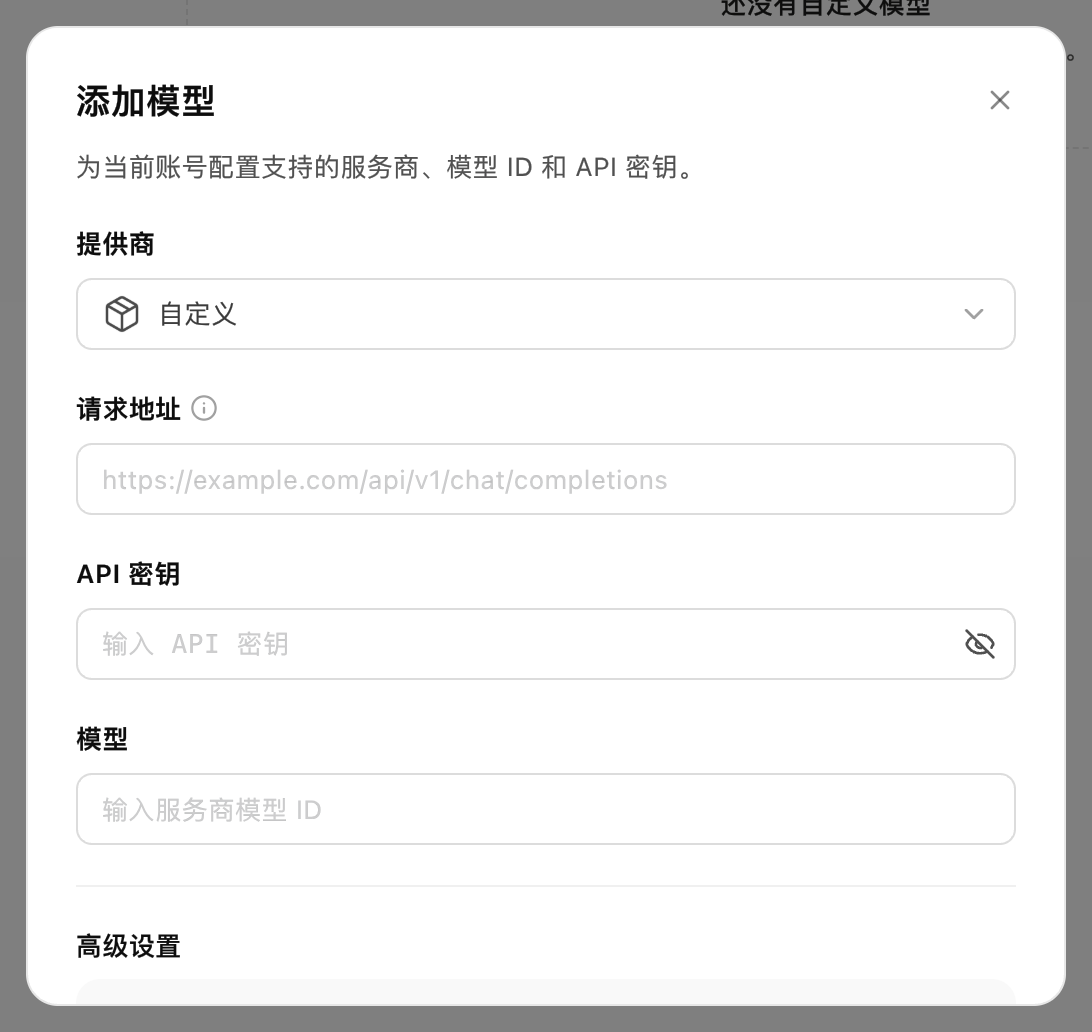
In the "Add Model" dialog, fill in the configuration as follows, then click "Save".
- Provider: Select
Custom - Request URL:
https://api.moark.ai/v1/chat/completions - API Key: Paste the access token from Dashboard -> Settings -> Access Tokens
- Model: Enter the provider's model ID — copy the desired Model ID from the AI Model Hub
TheRequest URLfield expects the complete endpointMoArk's OpenAI-compatible chat endpoint is
https://api.moark.ai/v1/chat/completions.Expand "Advanced Settings" at the bottom of the dialog to configure additional parameters.
- Provider: Select
Once configured, return to the conversation interface: your newly added model appears in the model selector at the bottom-right corner of the input area. Switch to that model to start using it.
 京公网安备11011502039387号