

Qoder
Qoder is an AI coding agent workbench built by Alibaba's Tongyi team and operated by Bright Zenith, a Singapore-based company. By adding a custom model that connects to an OpenAI-compatible API, you can use MoArk's large language models in Qoder. Custom model usage is billed directly to your MoArk API account and does not consume Qoder Credits.
The Qoder family includes Qoder and Qoder-IDE. Currently only Qoder supports custom models; Qoder-IDE does not yet support custom OpenAI / Anthropic-compatible endpoints.
Obtain Your Access Token
- Log in to the MoArk official website (or register an account if you don't have one).
- Navigate to the Dashboard, click Settings in the top-right corner, and select Access Tokens.
- Generate a new token and copy it for later use.
Configuration Guide
-
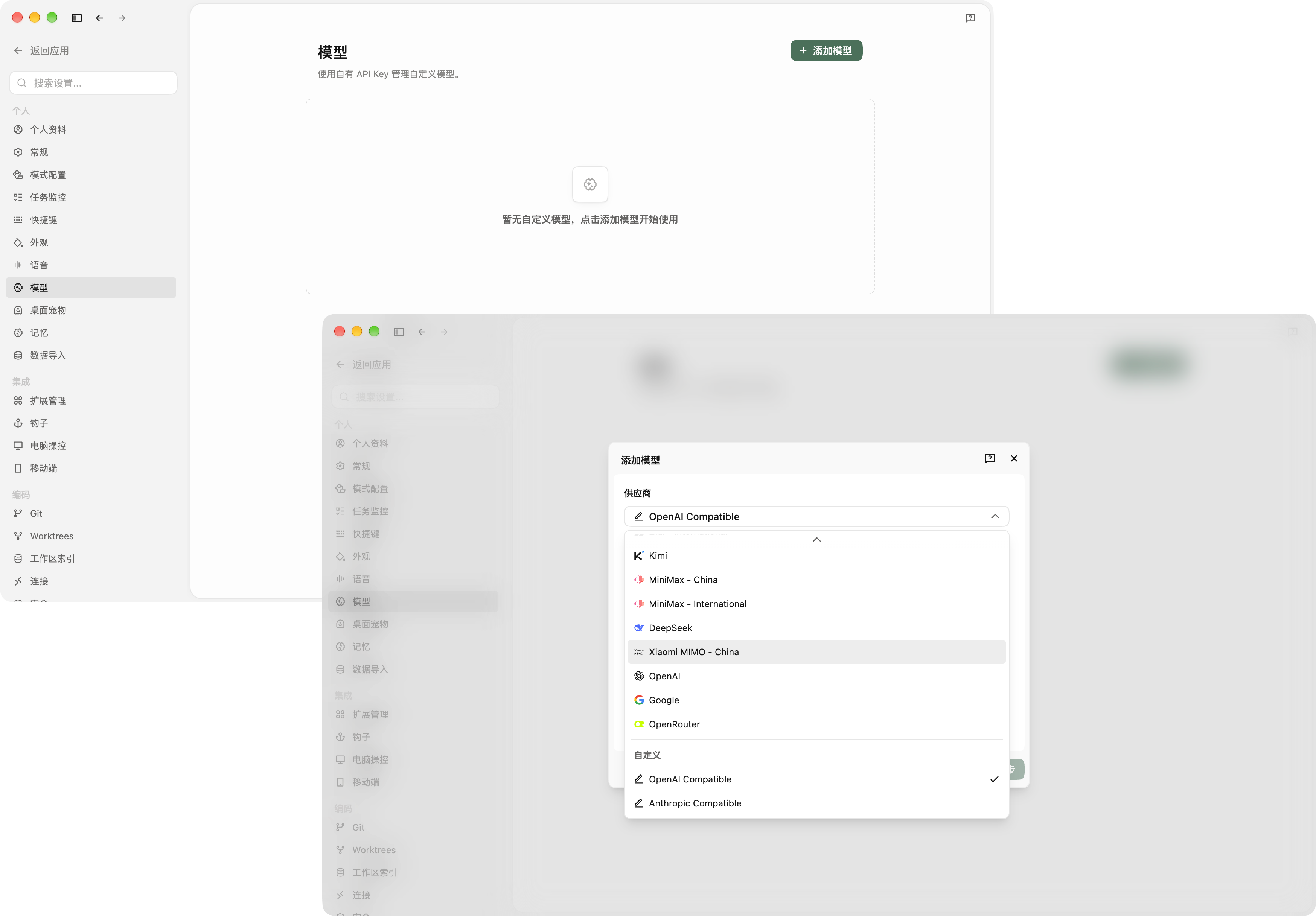
Open Qoder Settings, select "Models" in the left sidebar, and click "+ Add Model" in the top-right corner. In the "Provider" dropdown, select OpenAI Compatible under the "Custom" group.
-
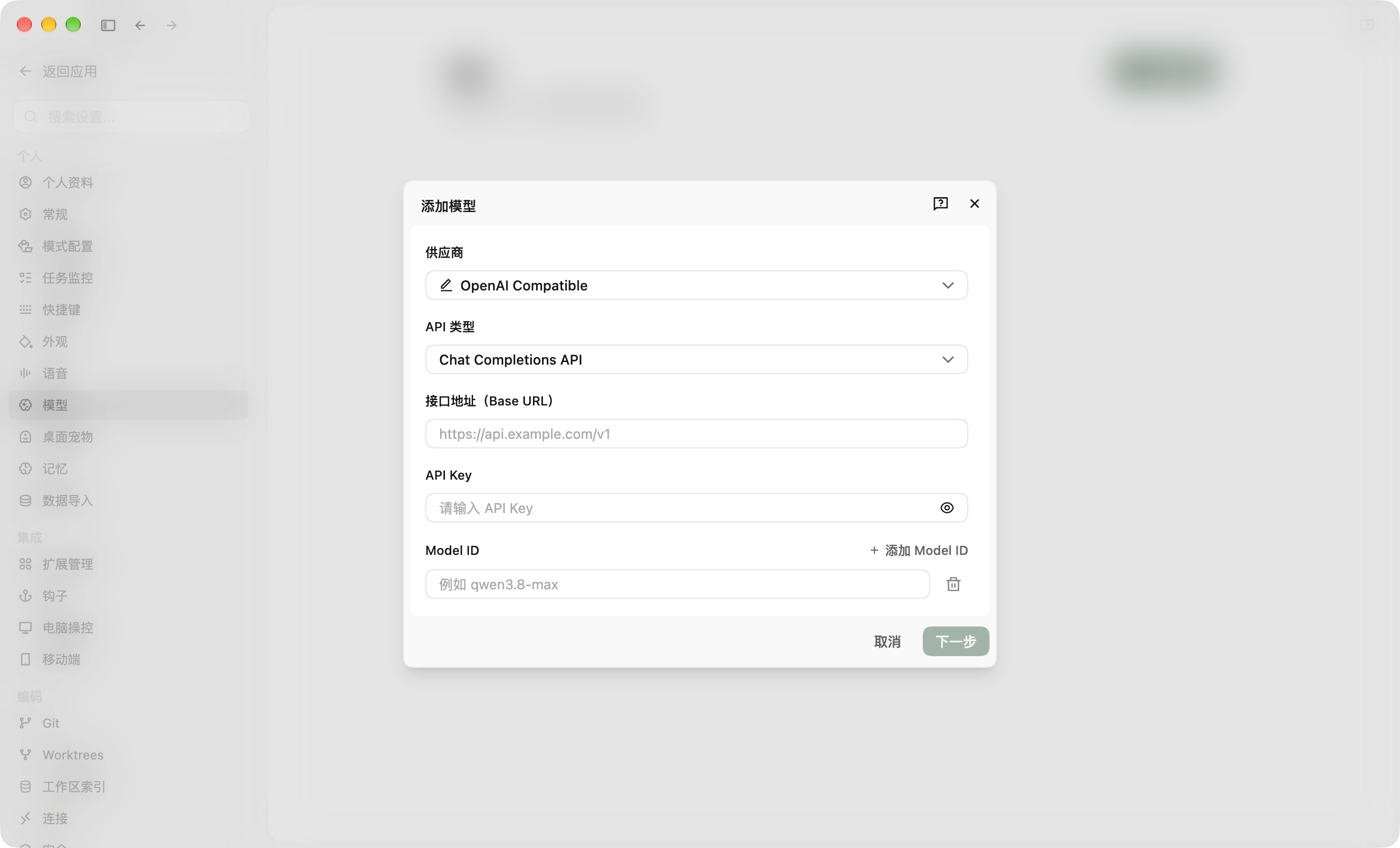
Fill in the configuration as follows:
- API Type: Select
Chat Completions API - Base URL:
https://api.moark.ai/v1 - API Key: Paste the access token from Dashboard -> Settings -> Access Tokens
- Model ID: Copy the desired Model ID from the AI Model Hub; to add multiple models, click "Add Model ID"
- API Type: Select
-
Click "Next", configure the display name, context window, vision, and thinking mode based on the model's capabilities, then click "Validate and Add Model". Once validated, select the model in the chat box to start using it.
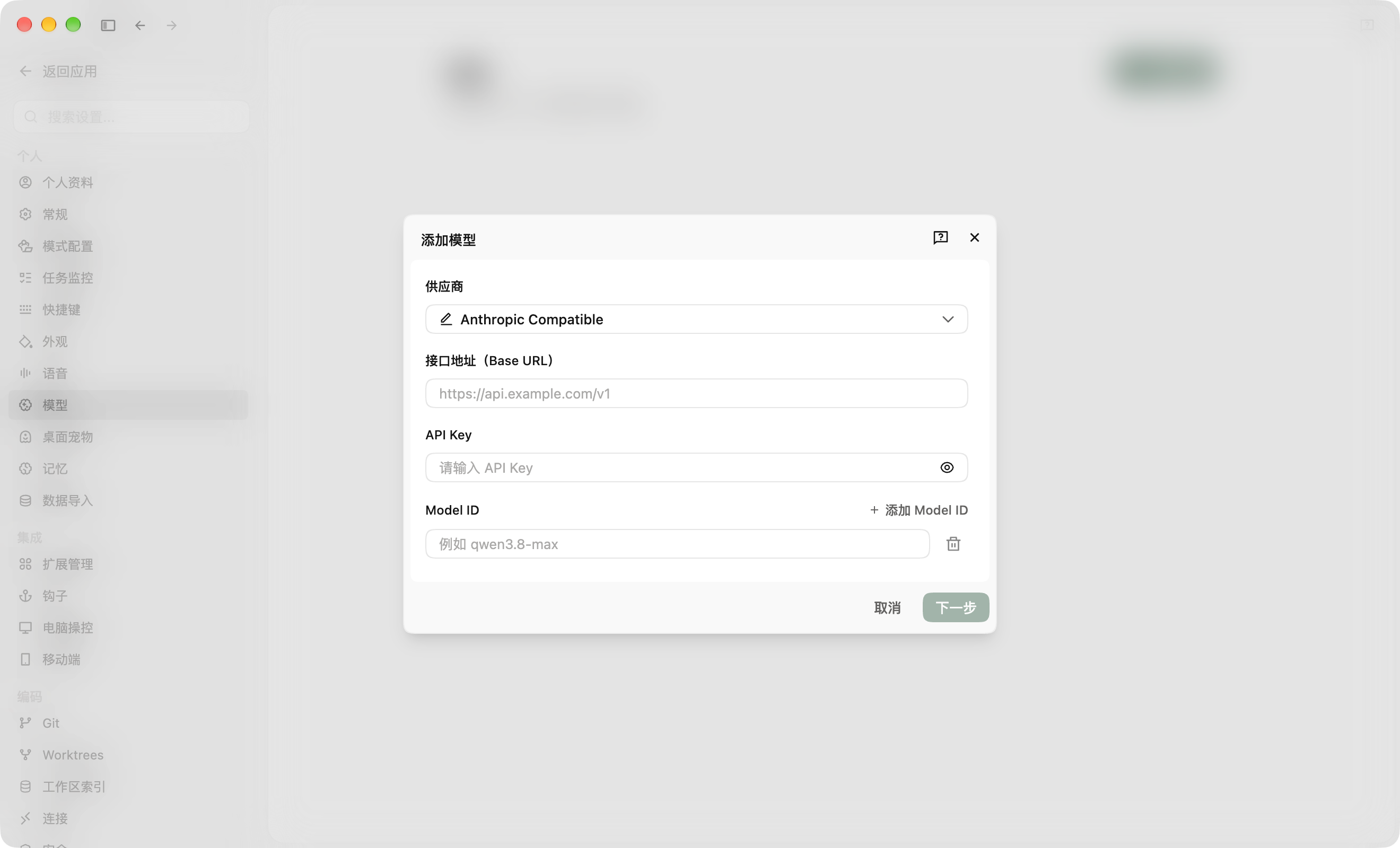
tipQoder also supports the Anthropic Compatible protocol. Simply fill in the Base URL (https://api.moark.ai/anthropic), API Key, and Model ID — the configuration is similar to OpenAI Compatible.
 京公网安备11011502039387号