

Immersive Translate
Immersive Translate is a cutting-edge AI bilingual translation tool that excels in cross-lingual comprehension. It has served over 1 million users and is perfectly adapted for web bilingual comparisons, PDF translations, EPUB book interpretations, and video subtitle generation. It supports multi-browser plugin deployments.
By integrating MoArk's translation services, you can further enhance translation speed and accuracy, unlocking more diverse large model application scenarios.
Obtain Your Access Token
- Log in to the MoArk official website (or register an account if you don't have one).
- Navigate to the Dashboard, click Settings in the top-right corner, and select Access Tokens.
- Generate a new token and copy it for later use.
Install and Open the Plugin
- Go to Immersive Translate Official Website and download the plugin for your browser.
- Click on the plugin icon in your browser toolbar to open the Immersive Translate interface.
Configure Translation Services
-
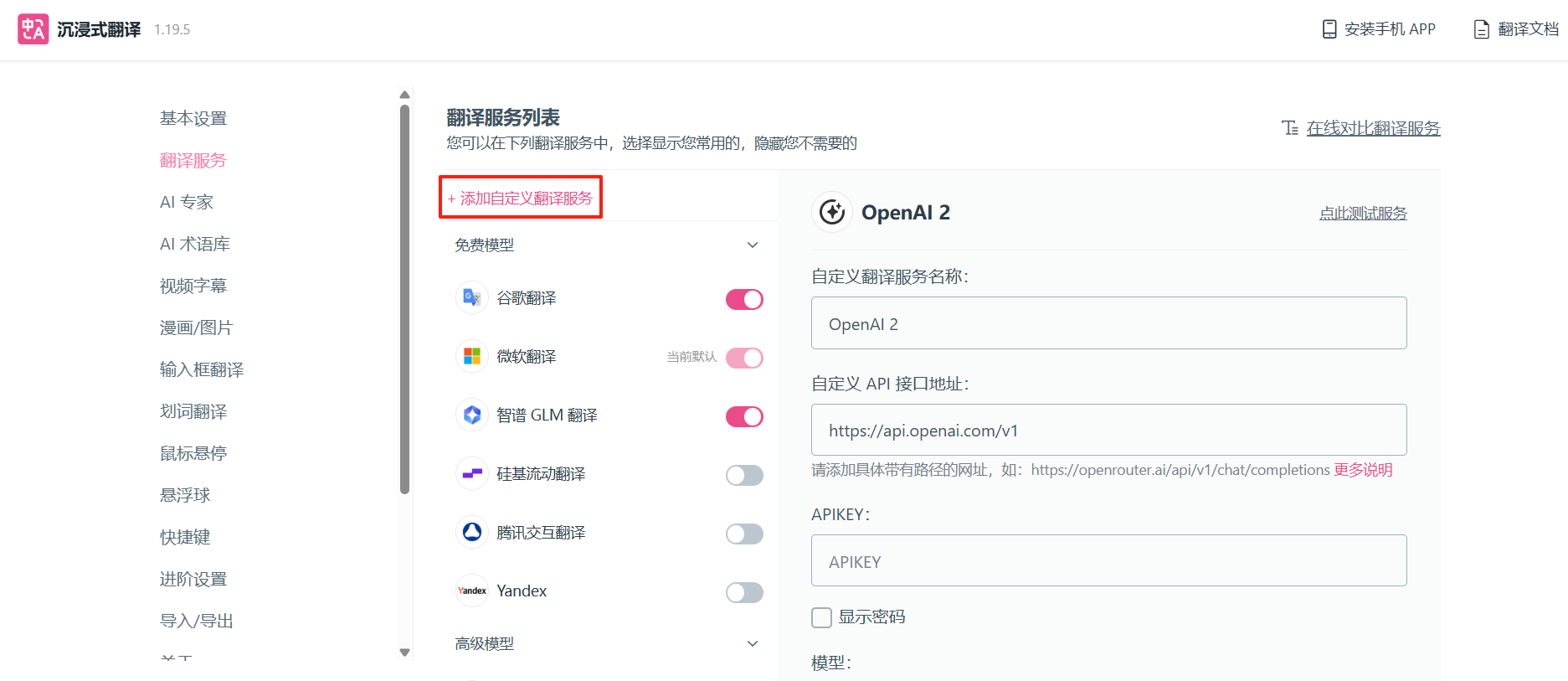
In the Immersive Translate extension, go to "Translation Services" -> "Add Custom Translation Service".
-
On the settings page, input the following key information:
- Custom API Interface Address: Enter the complete call address of the Serverless API here
- APIKEY: Paste the previously copied access token
- Maximum Requests per Second: 1
- Maximum Text Length per Request: 1200
- Maximum Segments per Request: 8
-
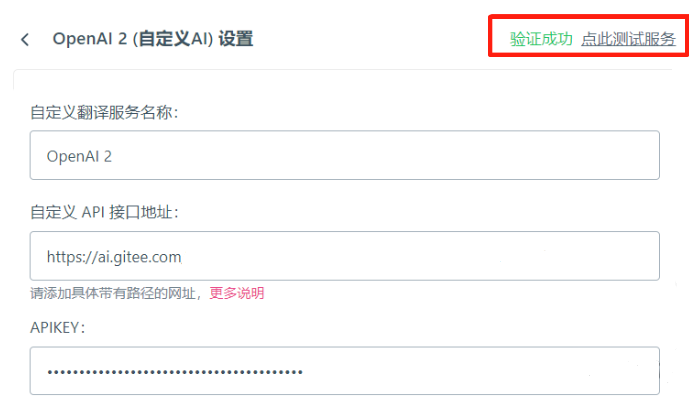
Click the "Test Service" button above the page. If the configuration is successful, you will see "Verification Successful".
 京公网安备11011502039387号